
A personal publishing space built from scratch — Next.js, Notion as CMS, and Vercel for hosting. A place where my ideas and notes can live in public without needing to be finished.
I've always wanted a space that sits between a blog and a notebook. Somewhere to share what I'm learning, building, experiments, thoughts, random notes, etc — without the pressure of writing polished, "finished" articles. My thoughts usually stay locked in Notion pages, scattered across projects nobody else sees, including myself.
I found the concept "Digital Garden". A digital garden is basically a public collection of ideas at different stages of growth. Not everything needs to be finished. Some posts are seeds, some are fully grown. That's the whole point.
I could've used WordPress. Or Medium. Or any other solution out there, but I always wanted to control every pixel. And as someone trying to learn to code with AI tools, I wanted to actually build something from 0 — not just customize a theme.
So I went with Next.js, Notion as my CMS, and Vercel for hosting. The whole thing is custom, no templates, no drag-and-drop builders.
Notion API — I already write everything in Notion. Using it as my CMS made the whole project click.
Next.js 16 — Built for Vercel. I write the code, Next.js builds the app, Vercel deploys it.
Vercel — Push to GitHub and it just deploys. No servers, no FTP.
Plain CSS — No Tailwind. When I run out of tokens I can code it myself.
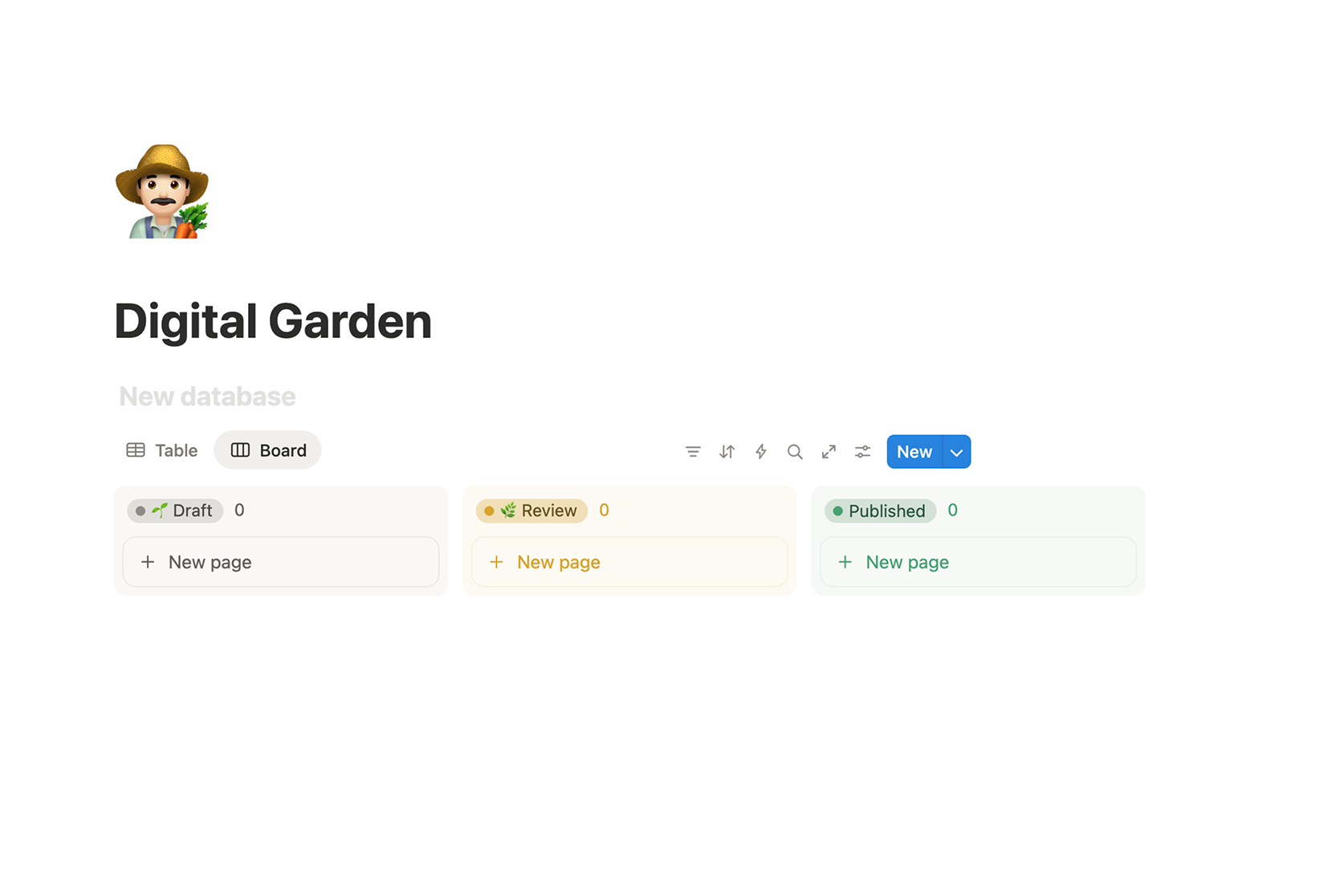
Surprisingly simple. A Notion integration, a database with your posts, and one npm package. The cool part is that I can have 50 drafts in Notion and only the ones marked Published show up on the site. Zero friction between writing and publishing.
If I need more variations or complex logic with the published content, I can create new properties and build new features on top of that in the future.
Home — A minimal table with dates and titles. Tag filtering, pinned posts. No cards, no previews. Just a directory.
Article — Content rendered from Notion, styled to match the rest of the portfolio.
Minimal on purpose. The goal is not the product itself but to show my thoughts and ideas in public and force me to shape them.
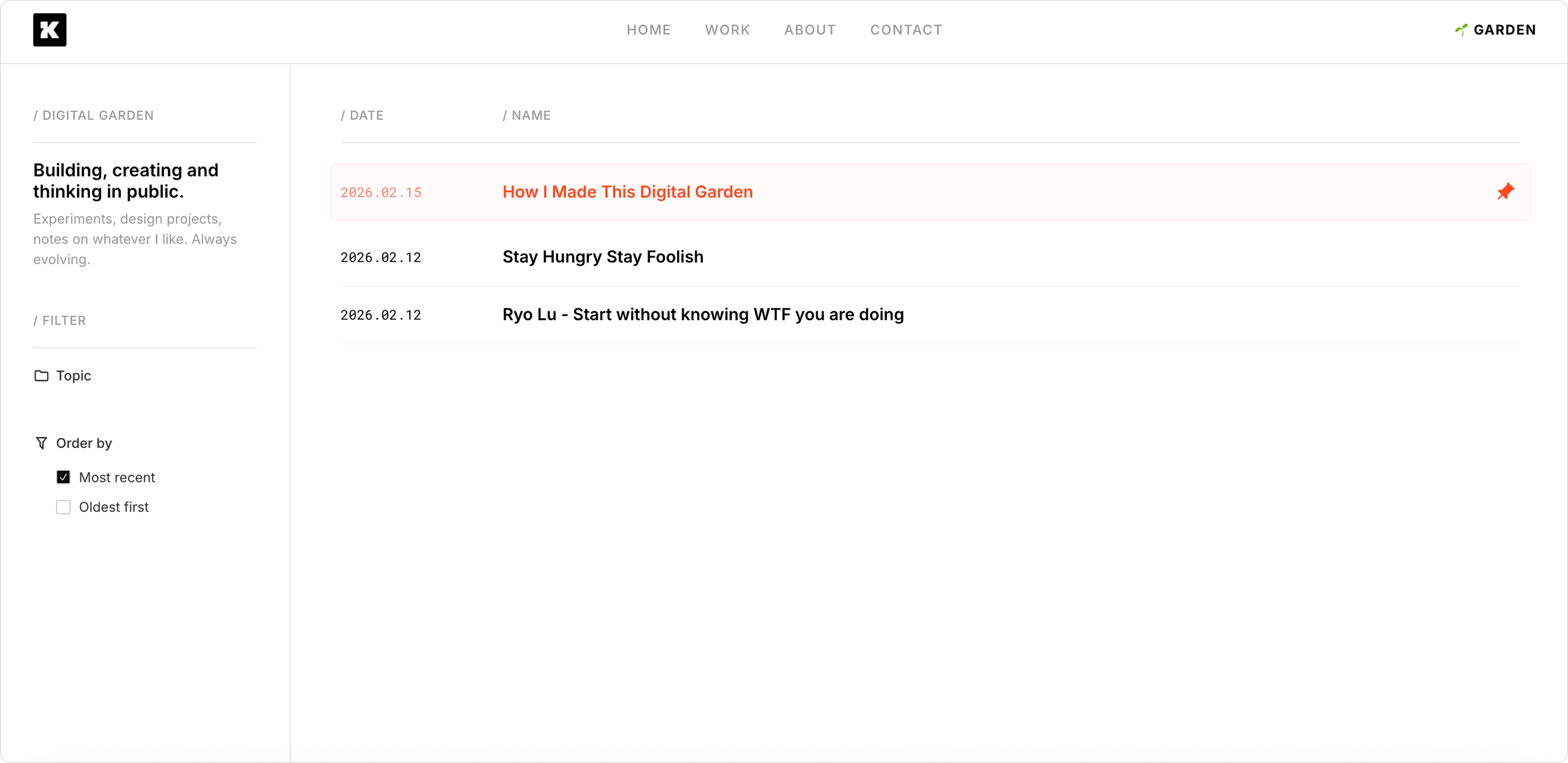
I designed this entirely without Figma — just the idea in my head, some style constraints, and Claude Code sculpting it in real time. Make something, break it, iterate, fix it.
That said, this doesn't scale to everything. For complex products, Figma still wins. You need to explore variations, get feedback, iterate cheaply on pixels instead of burning tokens.
Match the tool to the complexity. An experiment or MVP? Just build it. A feature affecting thousands of users with multiple stakeholders? Design it first — thinking, exploring, testing options, discussing in meetings. That part of the process isn't going anywhere — at least for now.
This garden is just a seed. I want to add more features but I would like to implement them only when I find the need in the process.